
Game Booster APK: Boost FPS & Reduce Gaming Lag on Android (Zero Root Required)

Gaming on low-end or budget Android smartphones frequently involves sudden framerate drops during intensive teamfights and noticeable stutter caused by background services competing for memory. For users who prefer not to alter system partitions with Root or Magisk modules, an automated user-space optimizer offers a reliable alternative. This article examines Game Booster APK (Gaming Performance No Root edition) – an ultra-lightweight utility under 2MB designed to recover free RAM, purge application caches, and configure tailored graphical presets before launching games.
- Core Purpose: Reclaim inactive memory, freeze background messaging threads, and establish lightweight render profiles before opening titles.
- Operating Mechanism: Utilizes Android's Accessibility Service permission to automate cache clearance and background force-stopping without root access.
- Feature Suite: Integrates three key sections: dedicated Game Space launcher, memory management Tools, and an embedded GFX Tool configuration utility.
- Compatibility: Fully functional on Android 5.0 and newer versions, requiring negligible local storage (under 10MB installed).
1. Technical Advantages and Operational Limits
Understanding what a user-space utility can and cannot accomplish prevents unrealistic expectations. Game Booster functions entirely within standard Android user permissions:
| Evaluation Metric | Key Strengths | Operational Limits |
|---|---|---|
| System Overhead | Minimal installation package (1.7 MB), generating virtually zero background RAM usage. | Cannot modify kernel parameters or CPU clock frequencies due to lack of root privileges. |
| Cleanup Workflow | Sequentially purges cached data and terminates inactive user-level apps automatically. | Takes roughly 10 to 30 seconds to complete if extensive third-party apps are present. |
| System Integrity | Completely safe, never touches /system partitions, zero risk of bootloops or voided warranties. | Aggressive OEM battery managers may terminate the helper process unless pinned in recents. |
| Display Customization | Built-in GFX Tool enables resolution scaling and unlocked 60 FPS on supported game titles. | GFX tuning effectiveness depends on the specific game engine and version constraints. |
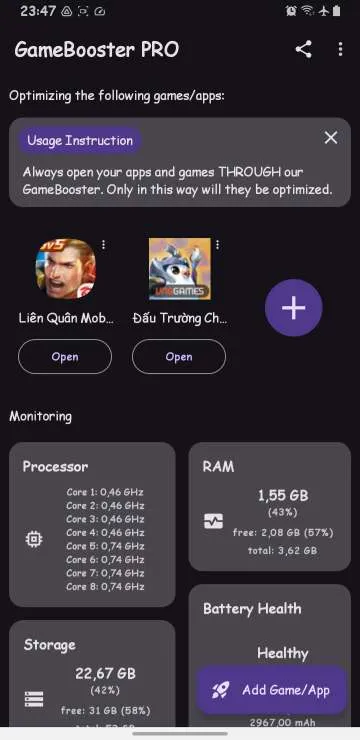
2. Download Game Booster APK Package
The utility is packaged into a secure archive file. Download it directly from the high-speed mirrors below:
Download Game Booster APK (No Root Gaming Performance)
Memory cleanup, background process termination, and GFX optimization package for Android
osteup
3. Setup and Permission Configuration
After downloading the archive, use a reliable archive tool (such as ZArchiver or your built-in file manager) to extract the archive using the password osteup, then tap the resulting APK to install.
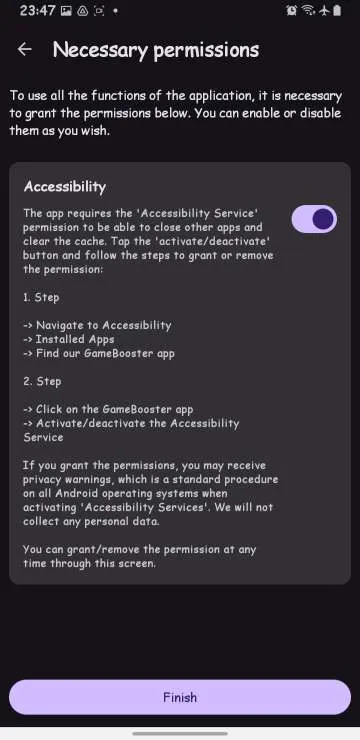
Step 1: Grant Accessibility Service Permission
This permission is essential to allow Game Booster to navigate system settings and automate cleanup actions on your behalf without manual intervention:
- Launch Game Booster after installation.
- Tap the three-dot overflow menu in the upper-right corner and select Permissions.
- Locate the Accessibility entry, which redirects you to Android's Accessibility settings screen.
- Select Game Booster from the installed services list and switch the toggle to On.
Step 2: Add Titles to the Dedicated Game Space
The Game Space acts as a performance launcher, triggering cleanup routines immediately before the target game takes over the display:
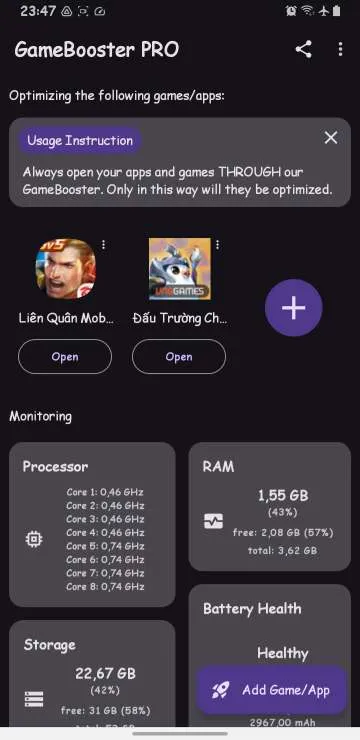
- From the primary screen, tap the plus (+) icon to display installed applications.
- Select your primary gaming titles (e.g., Free Fire, Arena of Valor, PUBG Mobile, Roblox).
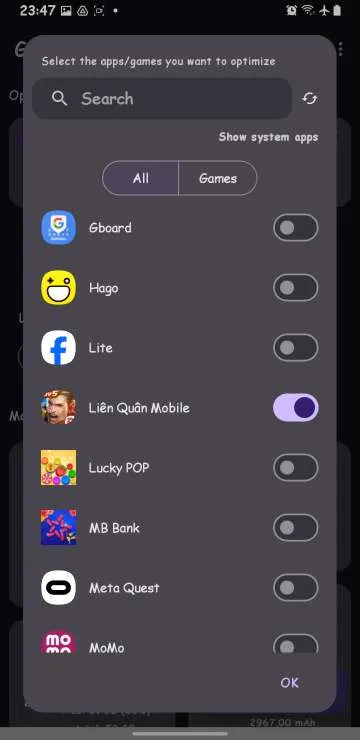
- Launch games directly through this dashboard rather than your homescreen icons to guarantee memory optimization beforehand.
| App Selection List (+) | Configured Game Space Dashboard |
|---|---|
|
|
4. Functional Overview of the Tools Menu
Beyond launching games, the Tools section delivers three standalone maintenance utilities useful for devices struggling with memory pressure:
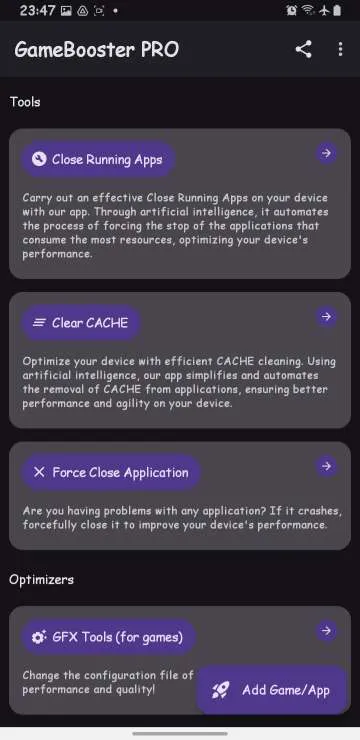
- Close Running Apps: Iterates across running background applications to transition them into an idle state, minimizing CPU wakeups and idle battery draw.
- Clear Cache: Cleans temporary media caches, thumbnails, and browsing remnants across high-consumption apps (such as social feeds and shopping platforms) without logging you out.
- Force Close Application: Terminates stubborn background services immediately, returning substantial RAM capacity back to the available pool.
5. Optimizing Visual Settings via Embedded GFX Tool
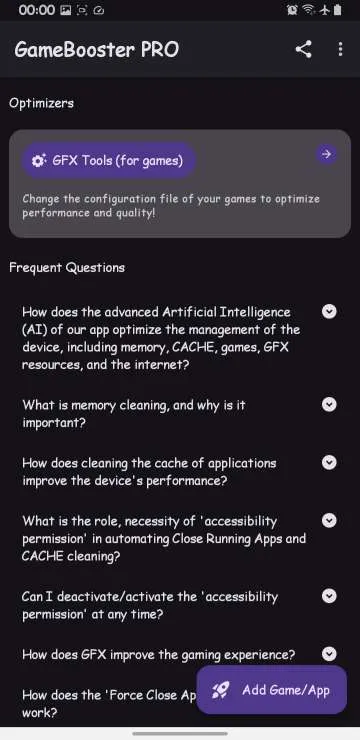
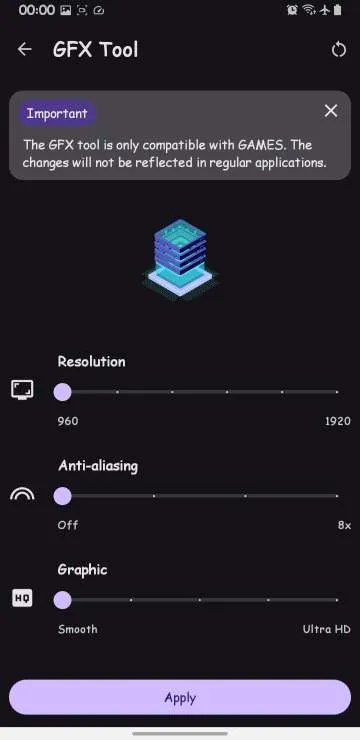
For competitive shooters and expansive open-world titles, the integrated GFX Tool allows tweaking four core graphics variables to favor frame consistency:
| Resolution & Anti-Aliasing Setup | Graphics Quality & Framerate Setup |
|---|---|
|
|
Recommended Configuration for Budget Hardware:
- Resolution: Lower this parameter to the minimum available preset (or 960x540 / 1280x720) to significantly decrease pixel shading workload on the mobile GPU.
- Anti-aliasing: Set to Disable to prevent additional computational load on edge smoothing.
- Graphics: Select Smooth or So Smooth, prioritizing framerate consistency over complex dynamic shadows.
- FPS: Select 60 FPS or Extreme / Max to unlock the highest refresh rate supported by your display.
6. Practical Guidelines for Consistent Performance
To maximize benefits alongside Game Booster APK on everyday hardware, incorporate these practical habits:
- Before beginning an intensive session, enter Tools and run Close Running Apps once to maximize available physical RAM.
- Lock the Game Booster app in your Recent Apps switcher (using the padlock icon) so system memory watchdogs do not discard it unexpectedly.
- Disable non-essential account auto-syncing during gaming sessions to prevent background notifications from triggering micro-stutters.
Related Articles

BrotX Optimizer v7: Rootless Android System Tuning via Shizuku ADB
Guide to rootless Android system tuning with BrotX Optimizer v7 via Shizuku ADB: enable ANGLE Vulkan GPU, 0ms floating window touch, 80% charge protection, and 58 flags.

iOS Debloat Script: Optimize Performance, Battery Life and Gaming FPS on Jailbroken iPhone
Complete guide to perf.sh iOS debloat script disabling 100+ telemetry and background daemons to reclaim RAM, eliminate thermal throttling, and boost gaming FPS.

OOptimize: Android 7-15 Gaming Tweaks (Root & No-Root)
Optimize SurfaceFlinger and GPU Vulkan pipeline on Android 7-15 with OOptimize: stabilize FPS, eliminate frame drops, and minimize touch input latency.

RAM Purger: Stop Background Processes & Boost Android Gaming Like iPhone
Complete guide to the rootless RAM Purger (frozen.sh) shell script terminating 400+ background app tasks to reclaim RAM and eliminate frame drops on Android.
Comments(26)
Sign in to join the conversation
Sign in with Google, Facebook or Email to leave a comment and get notified of replies.
Hay quá
Ko muốn dùng nx thì tắt ntn v
App ngon k
App đã cấp quyền đầy đủ rồi, nhưng mà lúc bấm add game/app thì lại bị văng app
Tạm được
Sao để fix nó không tự nhảy như trong clip v
Tắt hạn chế ở đâu vậy ad
Cần tìm 1 app tương tự cho adr 5, đã root :')
Cho tui hỏi tí cái close running app tui bật auto mà nó chạy hiện là có muốn gỡ cài đặt mấy app này nọ k
App bị hạn chế ko cho phép đc để dùng tính năng ad ơi