
RimikoOS 10 LTSC: Ultra-Lightweight Windows Lite for Low-End PCs & Gaming

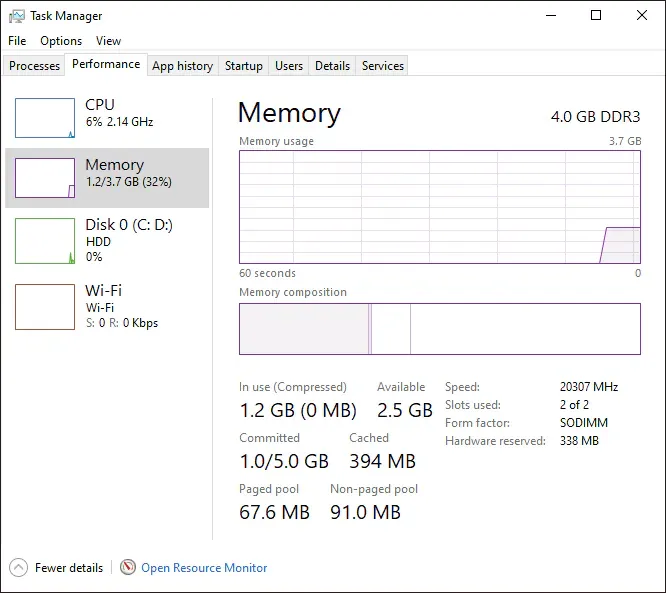
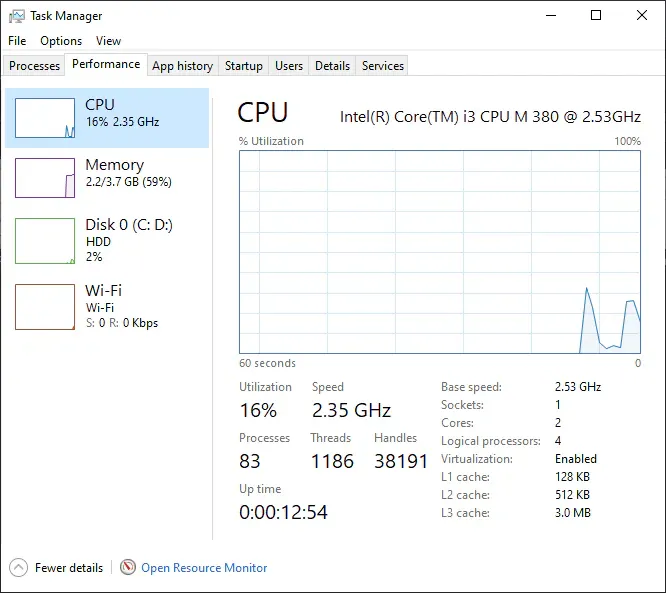
Standard retail editions of Windows 10 frequently consume anywhere from 2.5GB to 3.5GB of RAM immediately upon booting to the desktop due to dozens of telemetry collectors, Cortana background routines, Edge pre-loaders, and continuous Windows Defender filesystem scans. RimikoOS 10 LTSC (V3.1 Security Update) is a streamlined custom Windows Lite distribution developed by Rimiko Development Community and Mooniebluring. Built directly upon the dependable foundation of Windows 10 IoT Enterprise LTSC 21H2, this ISO eliminates superfluous background bloat to achieve an idle memory footprint of just 0.8GB to 1.1GB, maximizing input responsiveness and stabilizing framerates for low-end hardware and dedicated gaming rigs.
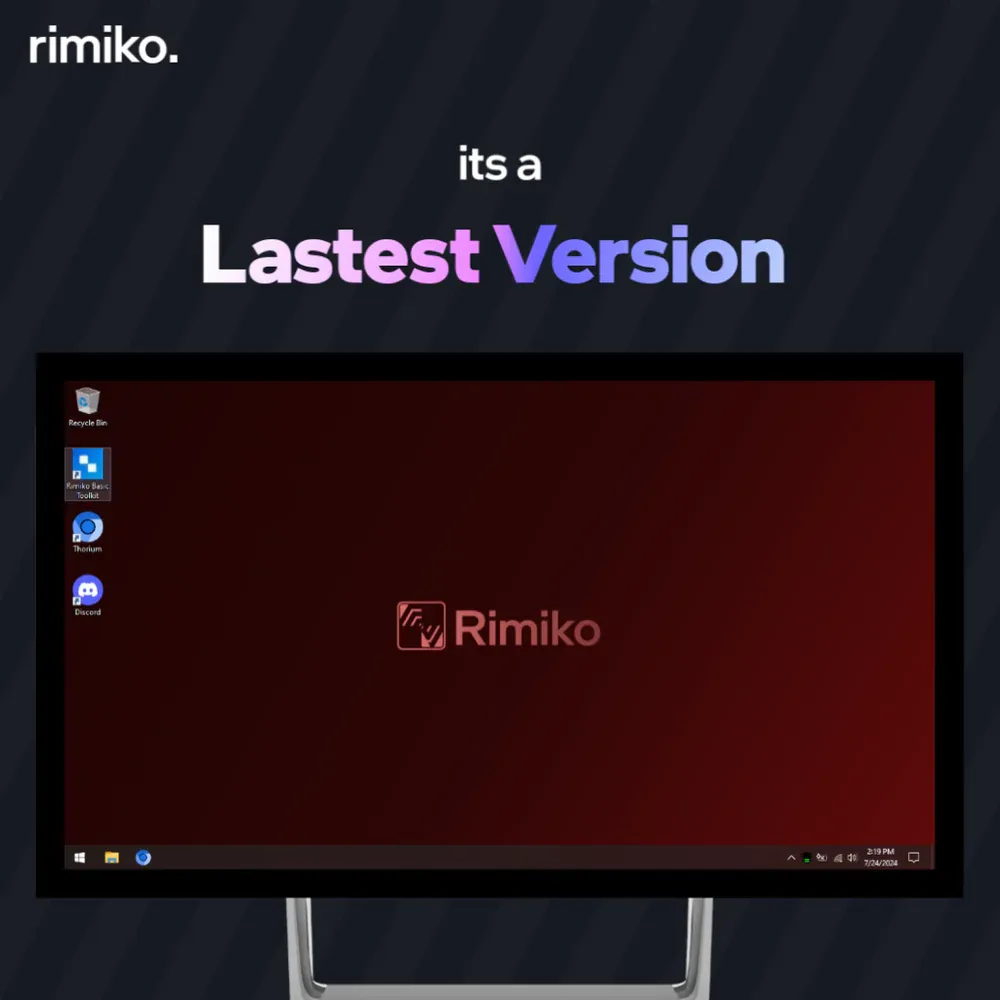
- Base Platform: Windows 10 IoT Enterprise LTSC 21H2 (OS Build 19044.4651, x64 architecture, en-US native interface).
- Aggressive Decluttering: Completely purges telemetry diagnostics, disables background data collection, strips Edge and Windows Defender, and replaces the bloated Start menu with ultra-light StartIsBack.
- Maintained Compatibility: Retains full support for the Microsoft Store, UWP gaming, Xbox network infrastructure, and the Windows Subsystem for Linux (WSL).
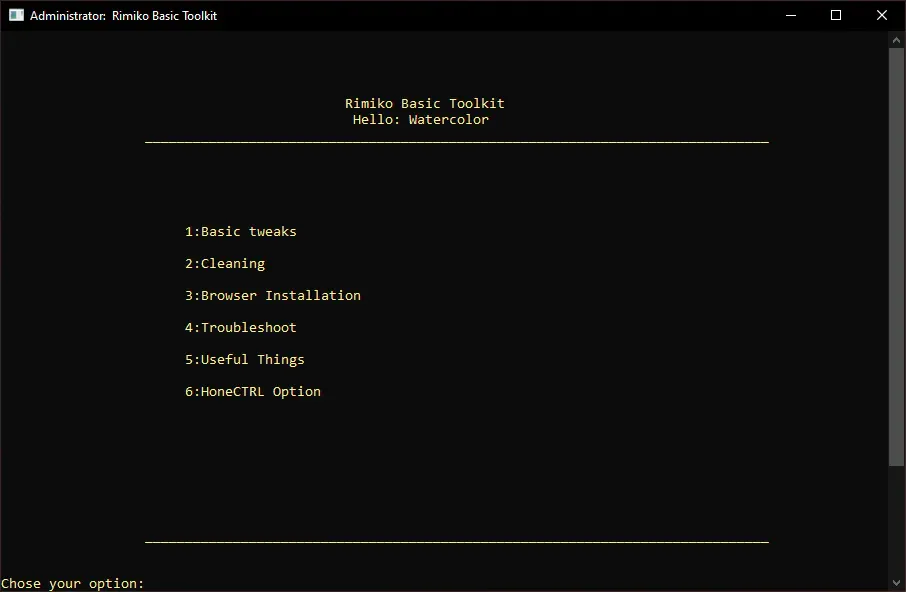
- Integrated Rimiko Toolkit: A dedicated desktop control hub lets users effortlessly install web browsers (Chrome, Brave, Firefox) and toggle essential system components with single-click ease.
- Practical Trade-offs: Windows Update is deferred long-term to prevent gameplay interruptions; safe browsing habits are essential since real-time Defender protection has been removed.
1. Detailed Technical Specifications: RimikoOS 10 LTSC
The build is derived and optimized directly from Microsoft's Long-Term Servicing Channel (LTSC):
| Specification | Build Details | Impact on Performance |
|---|---|---|
| Base Edition | Windows 10 IoT Enterprise LTSC | Microsoft's most stable enterprise lifecycle branch. |
| Build Version | OS Build 19044.4651 (Version 21H2) | Includes the integrated v3.1 Security Update patches. |
| Idle Memory Usage | ~800 MB – 1.1 GB (post-boot) | Saves over 60% memory compared to stock Windows 10 Pro. |
| Background Processes | Approximately 45–55 active processes | Significantly reduces scheduler contention on older 2C/4T processors. |
| Update Behavior | Deferred Windows Update | Completely eliminates stutter caused by background update downloads during games. |
2. Removed Components & Retained Functionality
Unlike over-tweaked Lite builds that break core system dependencies, RimikoOS 10 strikes a careful balance between raw performance and day-to-day software usability:
- Removed Components: Microsoft Edge, Cortana, Windows Defender, Windows Search indexing bloat, and all diagnostic telemetry tracking services.
- Interface Optimization: Integrated StartIsBack delivers classic Windows 7-style responsiveness with zero animated ad tiles or search delay.
- Retained Core Services: Complete runtime support for DirectX, Visual C++ Redistributables, .NET Framework, Bluetooth, Wi-Fi, basic printer spoolers, Microsoft Store, and developer tooling (WSL).
3. Installing Your Web Browser via Rimiko Toolkit
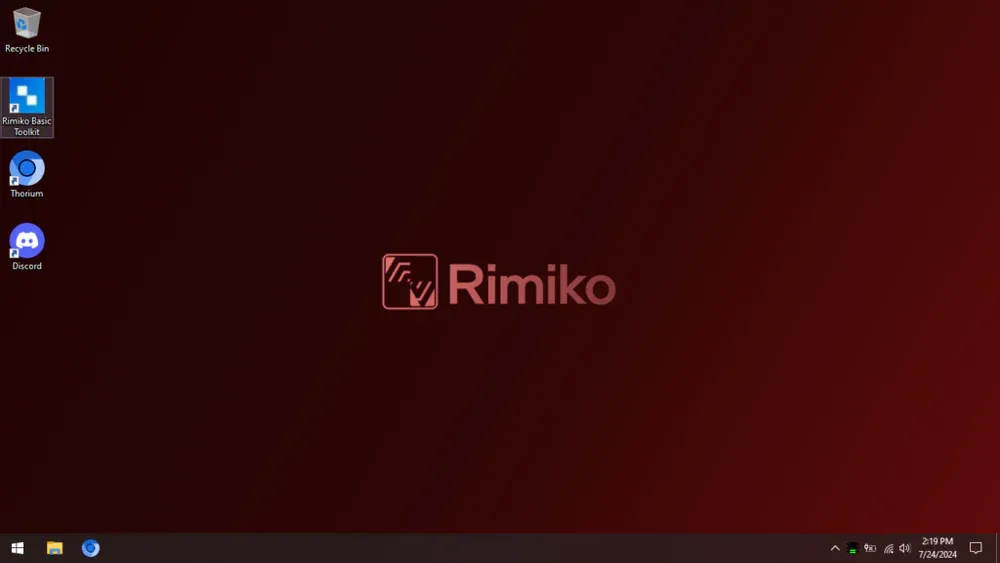
Following initial installation, your desktop will intentionally have no pre-installed web browser to ensure a clean slate. Setting up your browser takes seconds:
- Launch the Rimiko Toolkit shortcut located directly on your desktop.
- Navigate to the Browser Installation section in the menu.
- Select your preferred web browser (such as Google Chrome, Brave, Firefox, or Opera GX).
- Confirm your choice to let the toolkit download and silently install the latest browser package.
4. ISO File Details & Download Links
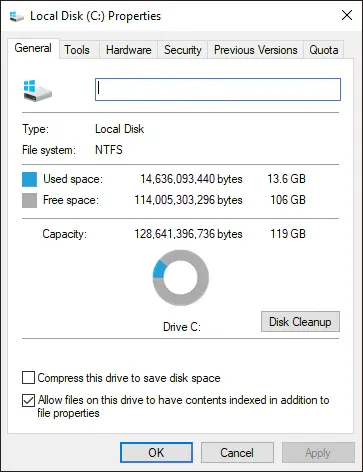
- Creating Installation Media: Use Rufus (GPT scheme for UEFI or MBR scheme for legacy BIOS) or WinToHDD to prepare your target drive. Always back up personal files from drive C before formatting.
- Security Awareness: Because Windows Defender is stripped to maximize available hardware resources, practice safe web browsing habits. If your workflow involves external file transfers, consider installing a lightweight third-party antivirus utility.
5. Frequently Asked Questions (FAQ)
Can I install and use the Microsoft Store on this build?
Yes. RimikoOS 10 fully preserves Universal Windows Platform (UWP) frameworks. You can open the Rimiko Toolkit on your desktop to install the official Microsoft Store whenever you need to download store apps or games.
Does this build support competitive anti-cheat software (Vanguard, FaceIT CS2)?
Standard games and launchers (League of Legends, CS2, Steam, Epic Games, PUBG) run seamlessly. For kernel-level anti-cheat engines requiring specific hardware integrity checks, Windows 10 LTSC 21H2 provides solid compatibility, provided your motherboard drivers and GPU software are kept up to date.
Can I add additional display language packs to RimikoOS 10?
Yes. While the default installation language is English (en-US), you can navigate to Settings > Time & Language > Language to download and install international language packs once connected to the internet.
What are the minimum hardware specifications to run RimikoOS 10 smoothly?
With idle RAM consumption hovering around 800MB–1.1GB, legacy laptops and desktop systems with just 4GB of RAM paired with older Intel Core 2 Duo, 1st/2nd Gen Core i3, or Celeron/Pentium processors will run general web and office tasks with remarkable fluidity.
Related Articles

BrotX Optimizer v7: Rootless Android System Tuning via Shizuku ADB
Guide to rootless Android system tuning with BrotX Optimizer v7 via Shizuku ADB: enable ANGLE Vulkan GPU, 0ms floating window touch, 80% charge protection, and 58 flags.

iOS Debloat Script: Optimize Performance, Battery Life and Gaming FPS on Jailbroken iPhone
Complete guide to perf.sh iOS debloat script disabling 100+ telemetry and background daemons to reclaim RAM, eliminate thermal throttling, and boost gaming FPS.

OOptimize: Android 7-15 Gaming Tweaks (Root & No-Root)
Optimize SurfaceFlinger and GPU Vulkan pipeline on Android 7-15 with OOptimize: stabilize FPS, eliminate frame drops, and minimize touch input latency.

RAM Purger: Stop Background Processes & Boost Android Gaming Like iPhone
Complete guide to the rootless RAM Purger (frozen.sh) shell script terminating 400+ background app tasks to reclaim RAM and eliminate frame drops on Android.
Comments(9)
Sign in to join the conversation
Sign in with Google, Facebook or Email to leave a comment and get notified of replies.
Bạn ad ơi rimiko toolkit update xong tự nhiên ko thấy chỗ cài trình duyệt luôn:))
mượt vậy luôn à
Xin discord cua OS nay voi broo
qua muot lun
Có microsoft store ko aa
sus
Ban nay rat muot – Rimiko President