
Salad Cloud GPU Mining: How to Earn Passive Income on Idle PC

Unlike traditional Proof-of-Work cryptocurrency mining that forces graphics cards to run at 100% capacity continuously—generating excessive heat and accelerating hardware degradation—Salad Cloud operates as a distributed cloud computing network. It allows PC owners to share idle computing resources (GPU, CPU, RAM) to handle containerized AI inference, machine learning workloads, and rendering tasks. By properly configuring Salad to run cloud container tasks while completely disabling conventional crypto mining, gamers with modern rigs can safely monetize their idle hardware with significantly cooler operating temperatures.
- Decentralized Compute Network: Salad functions primarily as an enterprise GPU cloud marketplace where organizations rent consumer hardware for Docker container workloads rather than hashing coin blocks.
- Hardware Longevity: Container workloads primarily utilize VRAM capacity and system memory, running at noticeably lower clock speeds and operating temperatures compared to raw mining.
- Recommended Specifications: Requires a minimum of 16GB–32GB system RAM and an NVIDIA RTX GPU with 8GB+ VRAM (RTX 3060, 4060, 4070 or higher) for consistent job allocations.
- Versatile Redemption Options: Earnings accrue in Salad Balance (USD), redeemable for Steam Wallet codes, Discord Nitro, PayPal cashouts, or prepaid Visa/Mastercard credentials.
Salad is not a generic tool for every computer. Running compute jobs consumes real electrical power and outputs ambient heat. It is only viable on desktop PCs equipped with competent cooling solutions and stable power supplies. Do not attempt to run Salad on thin-and-light office laptops, as sustained thermal stress can cause battery swelling or thermal throttling.

1. Comparing Salad Container Workloads with Traditional Crypto Mining
Understanding the architectural differences helps you preserve hardware longevity while optimizing returns:
| Comparison Factor | Traditional PoW Mining | Salad Container Tasks (AI & Cloud Workloads) |
|---|---|---|
| Compute Mechanism | Continuously solves hashing algorithms (KawPow, Ethash) at maximum computational load. | Executes virtualized Docker containers via WSL2 for AI inference, NLP processing, or 3D rendering. |
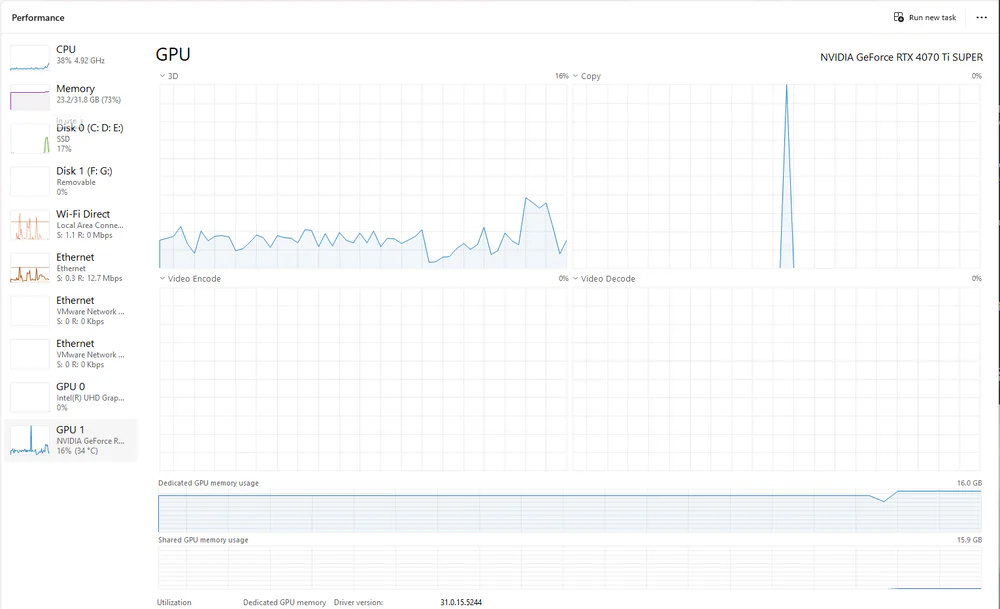
| GPU Load & Thermal Profile | Core operates at 99%–100% load indefinitely; high temperatures (75°C–85°C+) with fans at full speed. | GPU cycles dynamically with workloads, primarily holding large models in VRAM. Temperatures stay moderate (55°C–68°C). |
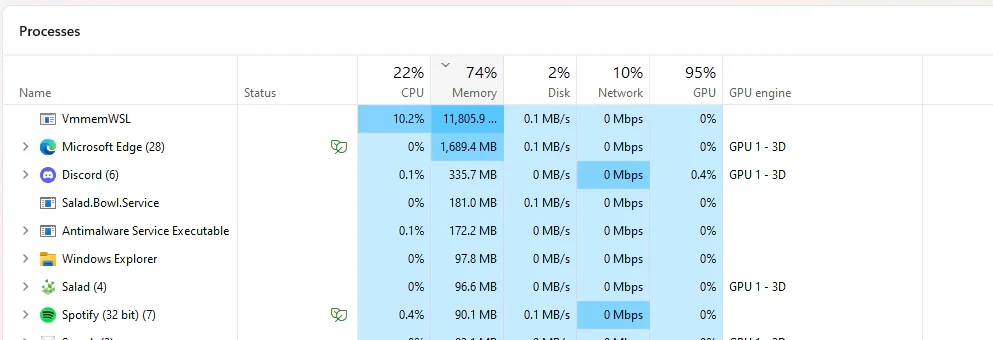
| Bottleneck Resources | Only demands GPU core compute; indifferent to system RAM size or storage bandwidth. | Demands abundant system RAM (16GB–32GB+) and large GPU VRAM capacity (8GB–16GB+). |
| Real-World Profitability | Margins are razor-thin after electricity costs, with extended hardware payback periods. | Businesses pay commercial hourly compute rates, offering higher and more consistent yields when tasks are assigned. |
2. Hardware Revenue Estimation and Pricing Factors
Salad provides an estimation calculator based on your system hardware configuration:
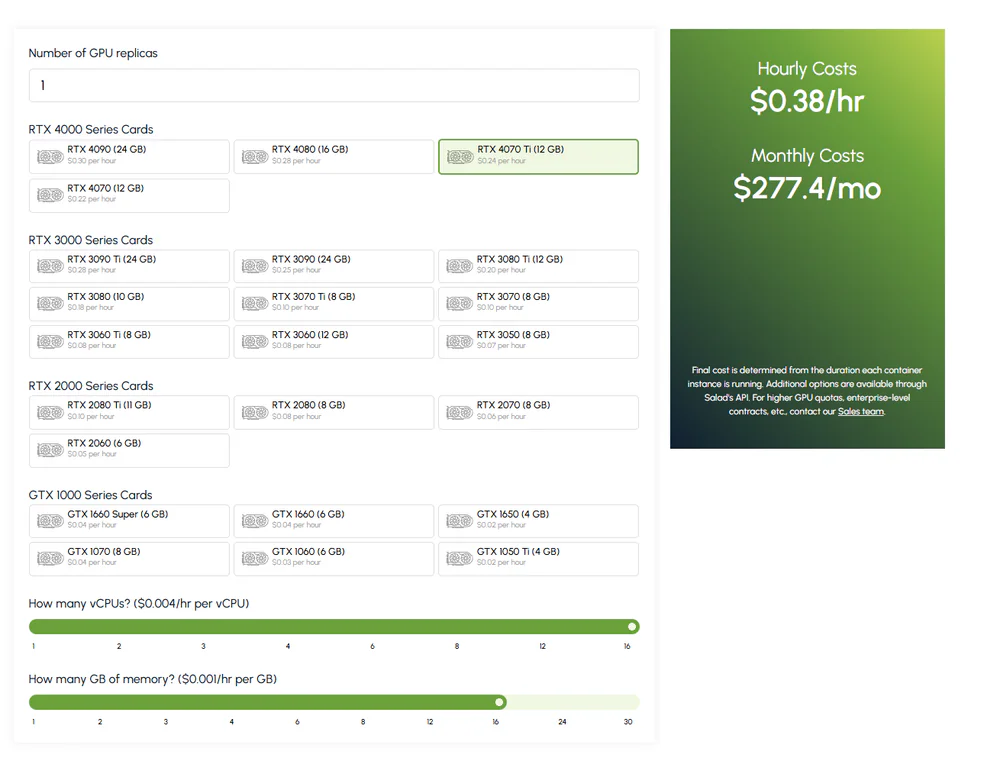
Expected daily earnings depend on three core hardware factors:
- GPU Architecture: Modern NVIDIA Ada Lovelace and Ampere series cards (RTX 3070, 3080, 4070, 4080, 4090) receive top priority for enterprise container dispatching.
- Assigned vCPUs: Available physical and logical processor cores dedicated to handling container I/O operations.
- System RAM Capacity: 16GB minimum, with 32GB or 64GB recommended to prevent container memory exhaustion crashes during large model inference.
3. Step-by-Step Installation and Optimization Process
Follow this 5-step workflow to configure Salad safely and ensure optimal container allocation:
Step 1: Download and Account Registration
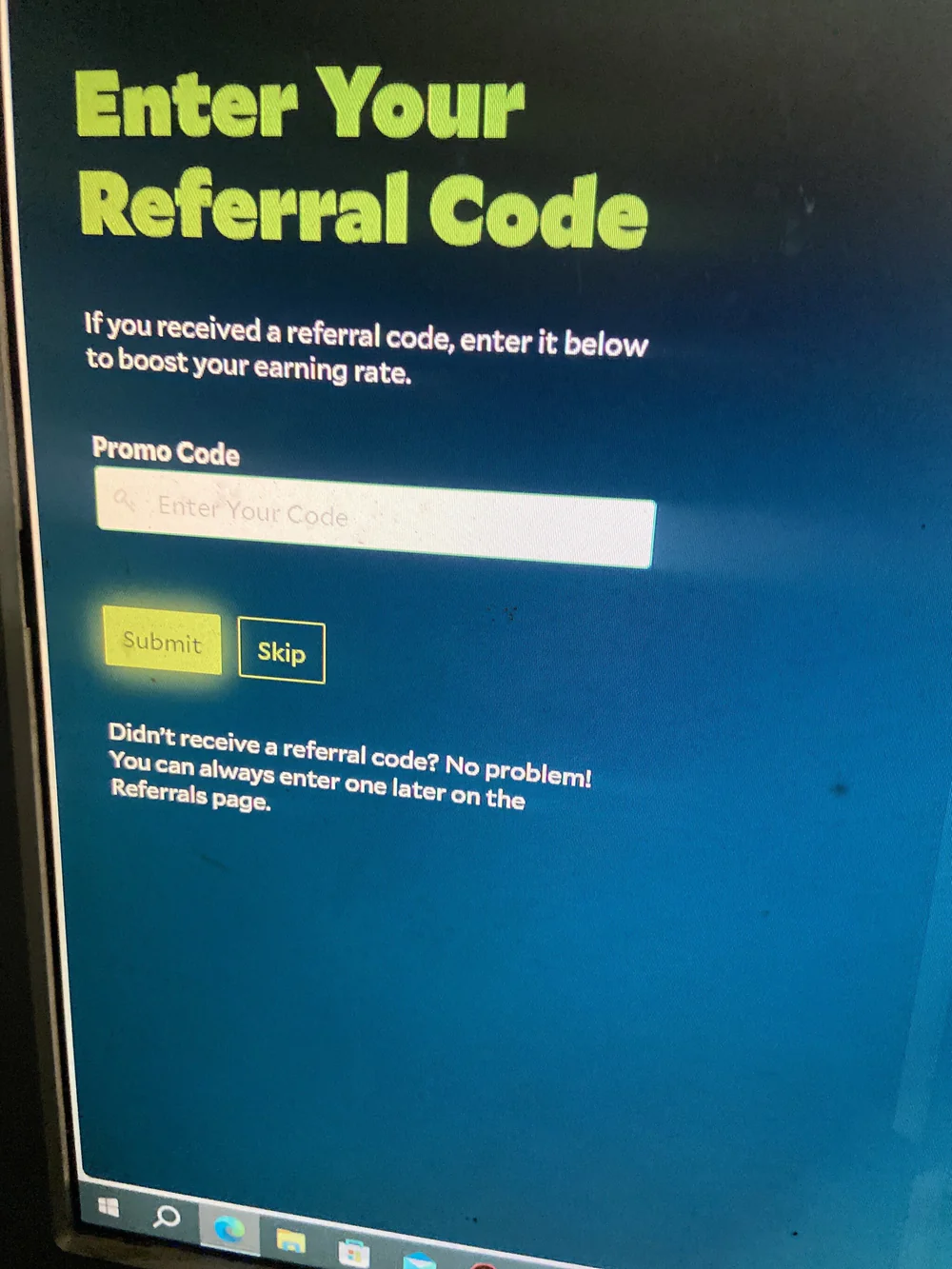
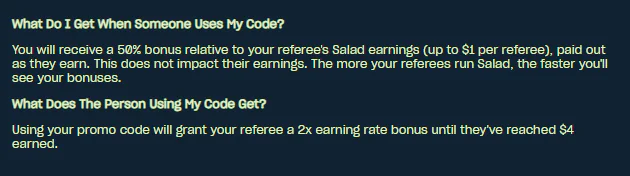
Download the official installer from Salad's website. Create an account using your personal email, verify the one-time passcode (OTP), and enter a referral code to activate earning rate bonuses.
Step 2: Check Hardware Readiness (Chopping Power)
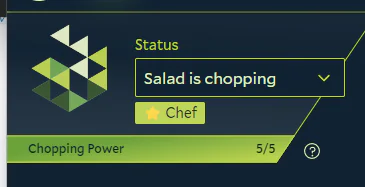
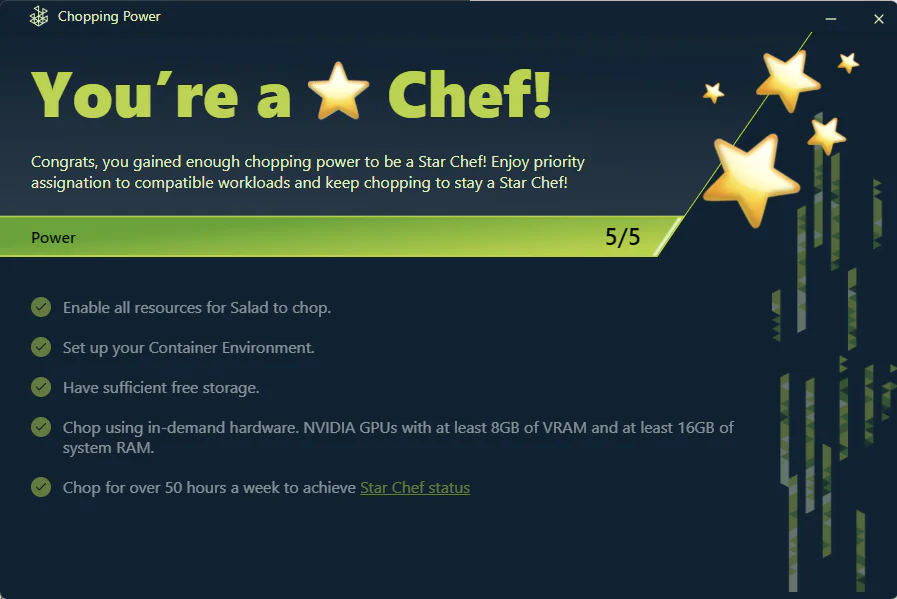
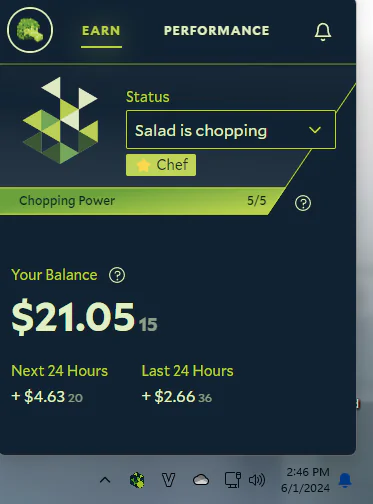
Open the Salad dashboard and navigate to Chopping Power. Confirm that all prerequisite checks—including CPU Virtualization in BIOS/UEFI, Windows Subsystem for Linux (WSL2), and Antivirus exclusions—display full readiness (e.g., 5/5).
Step 3: Disable Traditional Crypto Mining
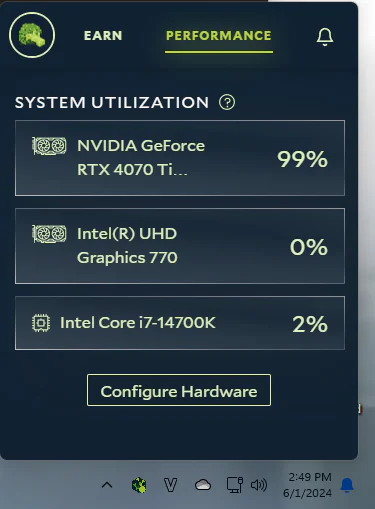
This is the most critical step to prevent hardware thermal stress. Navigate to Salad > Performance > Configure Hardware > Advanced Options. Toggle Crypto Mining to OFF.
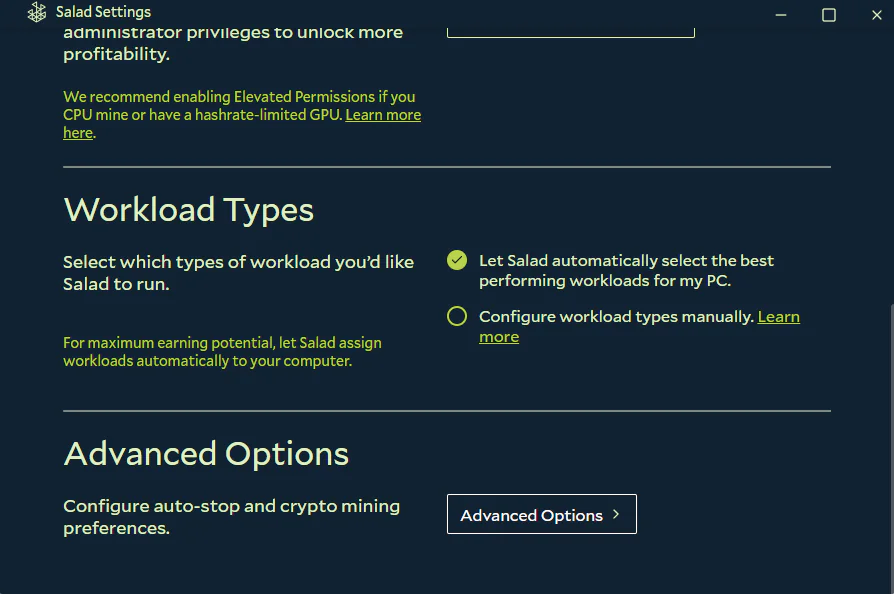
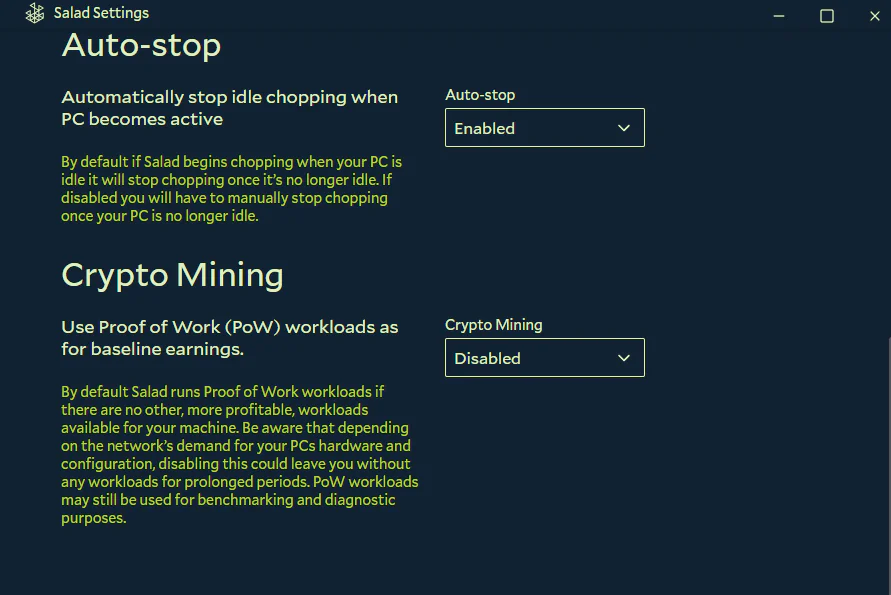
Step 4: Enable Combined CPU and GPU Workload Handling
In the hardware preferences panel, ensure both CPU and GPU execution options are active. Joint scheduling accelerates container deployment and increases task completion consistency.
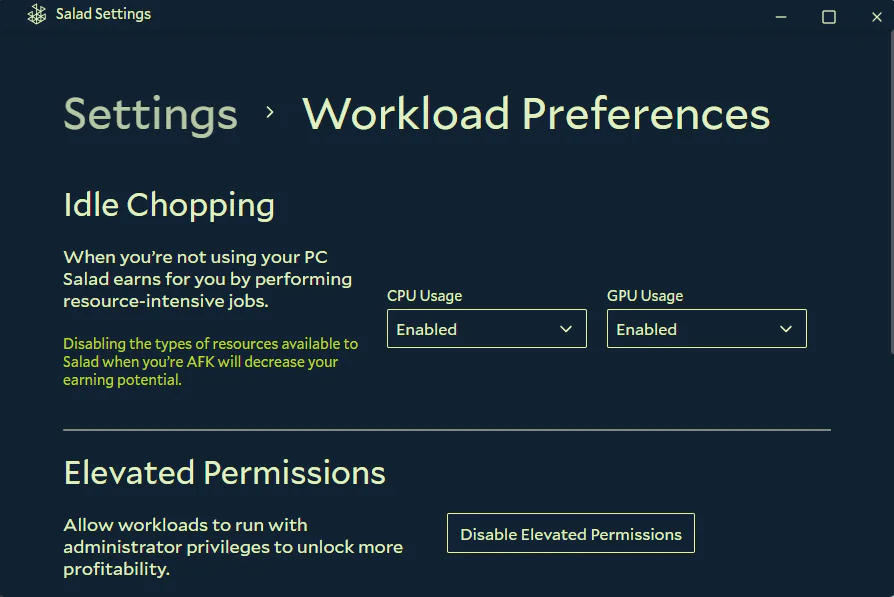
Step 5: Launch and Monitor Earnings
Click Start on the primary dashboard. The application will initialize environment containers and automatically begin processing cloud workloads as client orders arrive. You can track your 24-hour revenue estimate and balance directly on the dashboard.
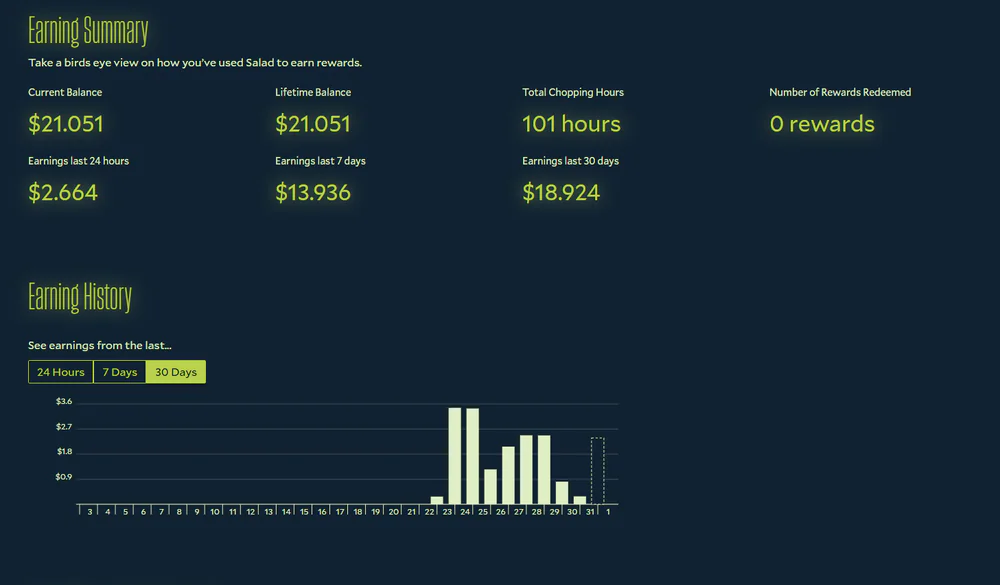
4. Payout Methods and Salad Store Redemptions
Your accumulated Salad Balance can be redeemed across multiple payout methods:

- Digital Gift Cards: Steam Wallet codes, Discord Nitro subscriptions, Xbox Game Pass, and gaming platform vouchers delivered directly via email.
- Direct Cash Payouts: Payout transfers to verified PayPal accounts or virtual prepaid Visa/Mastercard credentials usable for online purchases.
5. Official Salad Cloud Application Download
Download verified installers directly from the official source:
6. Frequently Asked Questions (FAQ)
Can low-spec office PCs or laptops (4GB–8GB RAM, entry-level MX GPU) run Salad?
Not recommended. Salad container workloads require a discrete GPU with at least 6GB–8GB of VRAM and 16GB+ of system memory to load AI models. On underpowered machines or laptops with entry-level graphics (such as NVIDIA MX series or integrated graphics), the system cannot allocate container workloads. Attempting to fall back on raw cryptocurrency mining will cause severe overheating and power draw that far exceeds any potential revenue.
Does running Salad degrade or damage graphics cards over time?
If you disable Crypto Mining and exclusively accept container workloads, GPU core utilization fluctuates moderately while holding memory resident in VRAM. Temperatures typically remain equal to or lower than running lightweight competitive eSports titles, well within standard manufacturer safety envelopes.
Why does Salad stay on "Looking for workloads" without starting a task?
Unlike continuous coin mining algorithms, container workloads depend entirely on real-time client demand on the Salad Cloud network. If your hardware is mainstream or demand is temporarily low, the matcher requires time to pair your machine with a compatible container. Once a matching job is assigned, the client transitions to "Running" and begins earning revenue.
How can earnings be transferred to a local bank account?
Users aged 18 and older can transfer their Salad balance to a verified PayPal account, which can then be transferred to local domestic bank accounts. Alternatively, you can redeem your balance for virtual prepaid Visa/Mastercard credentials or digital gift cards such as Steam Wallet codes.
Related Articles

RimikoOS 11 PRO: Lightweight Windows 11 Lite OS for Low-End PCs & Gaming
Download RimikoOS 11 PRO (Build 22631.4112 23H2), a debloated Windows 11 Lite ISO with no telemetry, removed Edge, and optimized RAM for low-end gaming PCs.

How to Use Windows MSRT (Malicious Software Removal Tool)
Learn how to launch Microsoft Malicious Software Removal Tool (MSRT) using the mrt command to scan and remove worms, trojans, and malicious software on Windows 10/11.

Essential CMD & PowerShell Commands to Boost Windows 10/11 Performance
Master native Windows terminal tweaks: disable CPU-heavy RAM compression, unlock Ultimate Performance power scheme, and minimize gaming input latency.

Windows BCDEdit Optimization: Tweaks for Latency and FPS Stability
Learn how to configure Windows BCD store via elevated Command Prompt to optimize system timers, reduce DPC latency, and stabilize frame pacing in games.
Comments(2)
Sign in to join the conversation
Sign in with Google, Facebook or Email to leave a comment and get notified of replies.
nghĩ đến cái cảnh mà máy 4gb ram+cpu i5 gen10 với con card mx mà làm mấy cái này thì ôi dồi